
SimPro
Connect Avenue to your SimPro account
SimPro Integration
Avenue can integrate with your SimPro account. To set this up, we need API access from your SimPro dashboard.
Prerequisites
- Access to your SimPro dashboard
- Admin access to request API access
Requesting API Access
Step 1
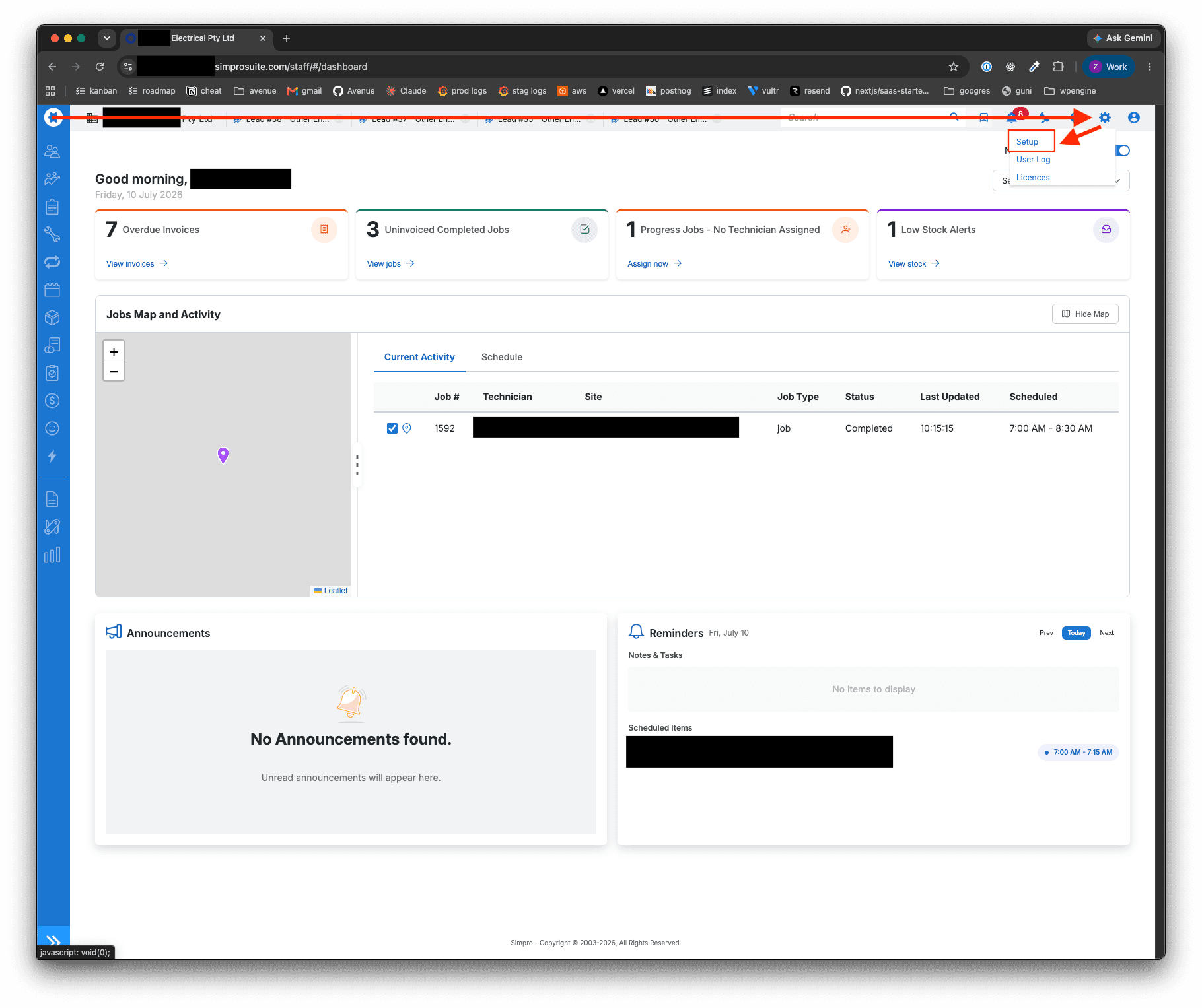
Starting from the homepage, click the cog in the top right, then Setup.
Step 2
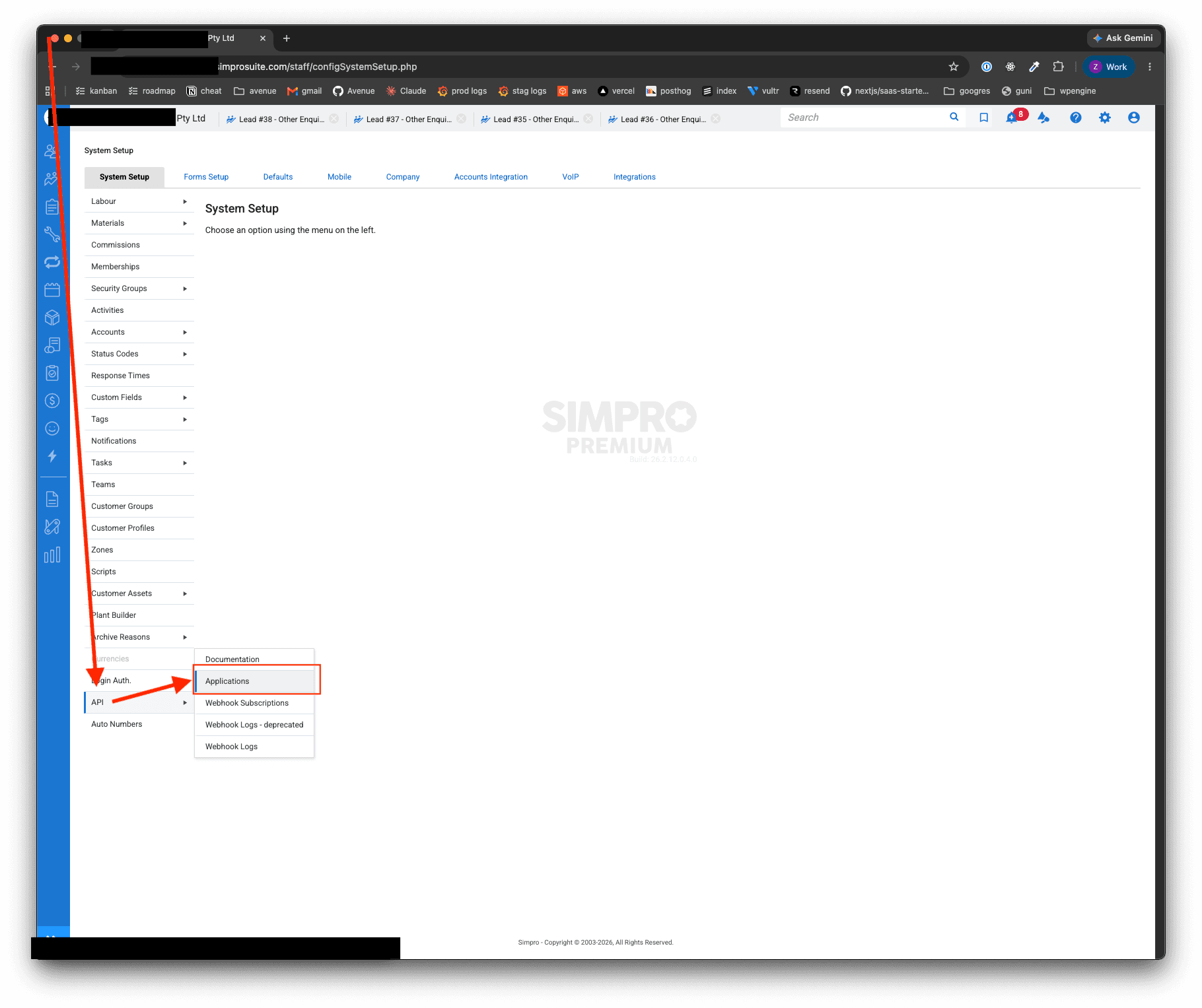
In the sidebar, click API, then Applications.
Step 3
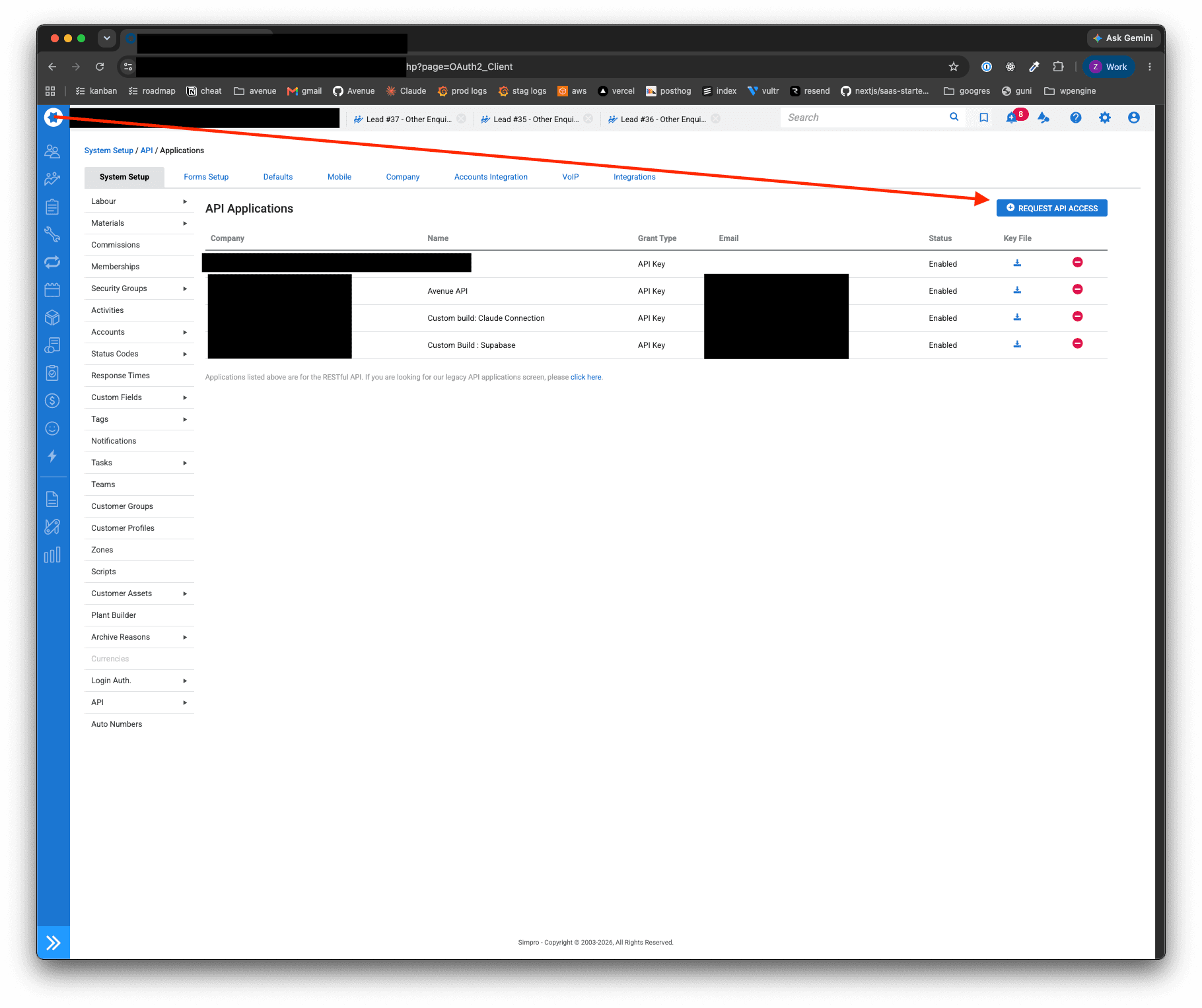
Click Request API Access.
Step 4
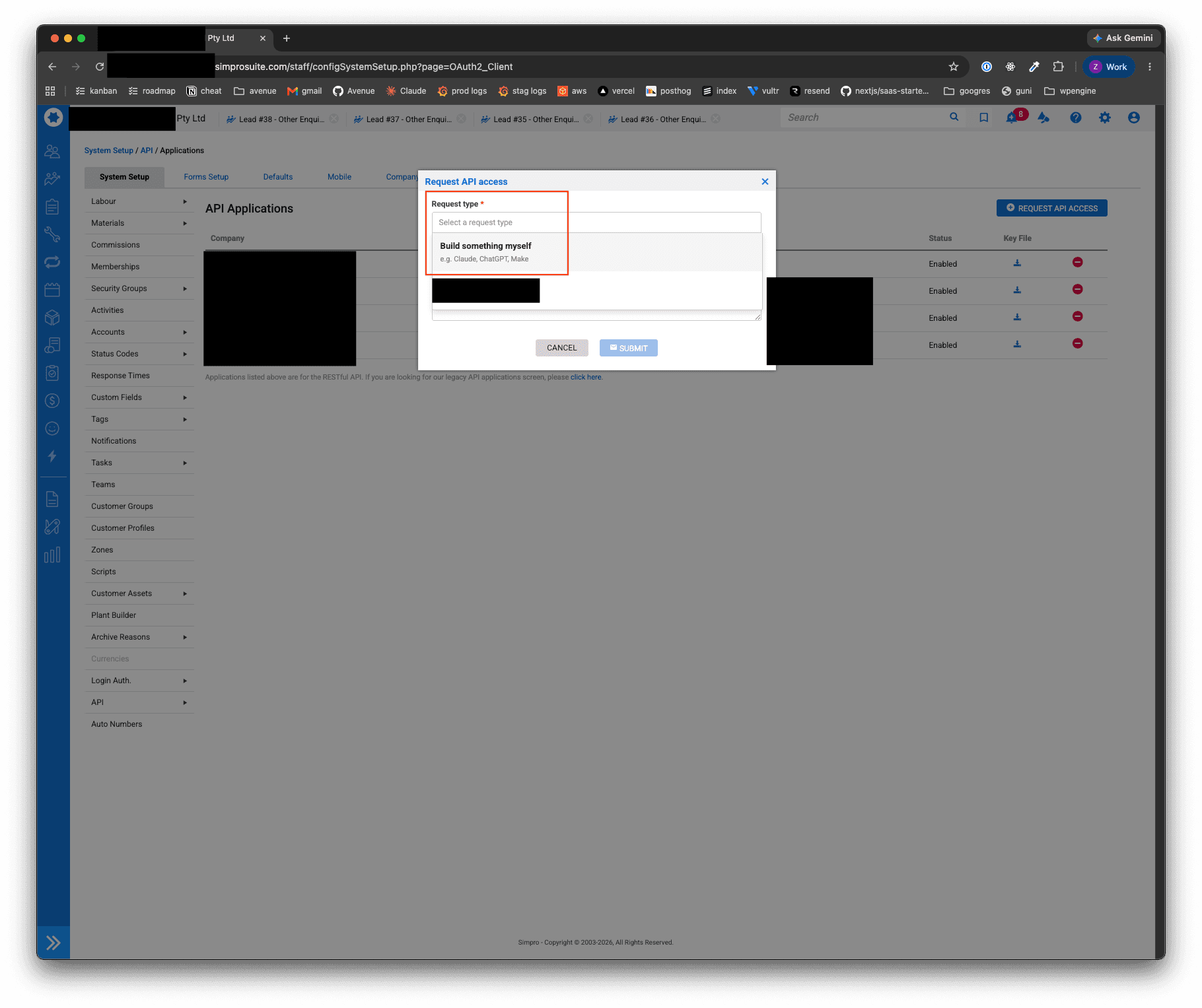
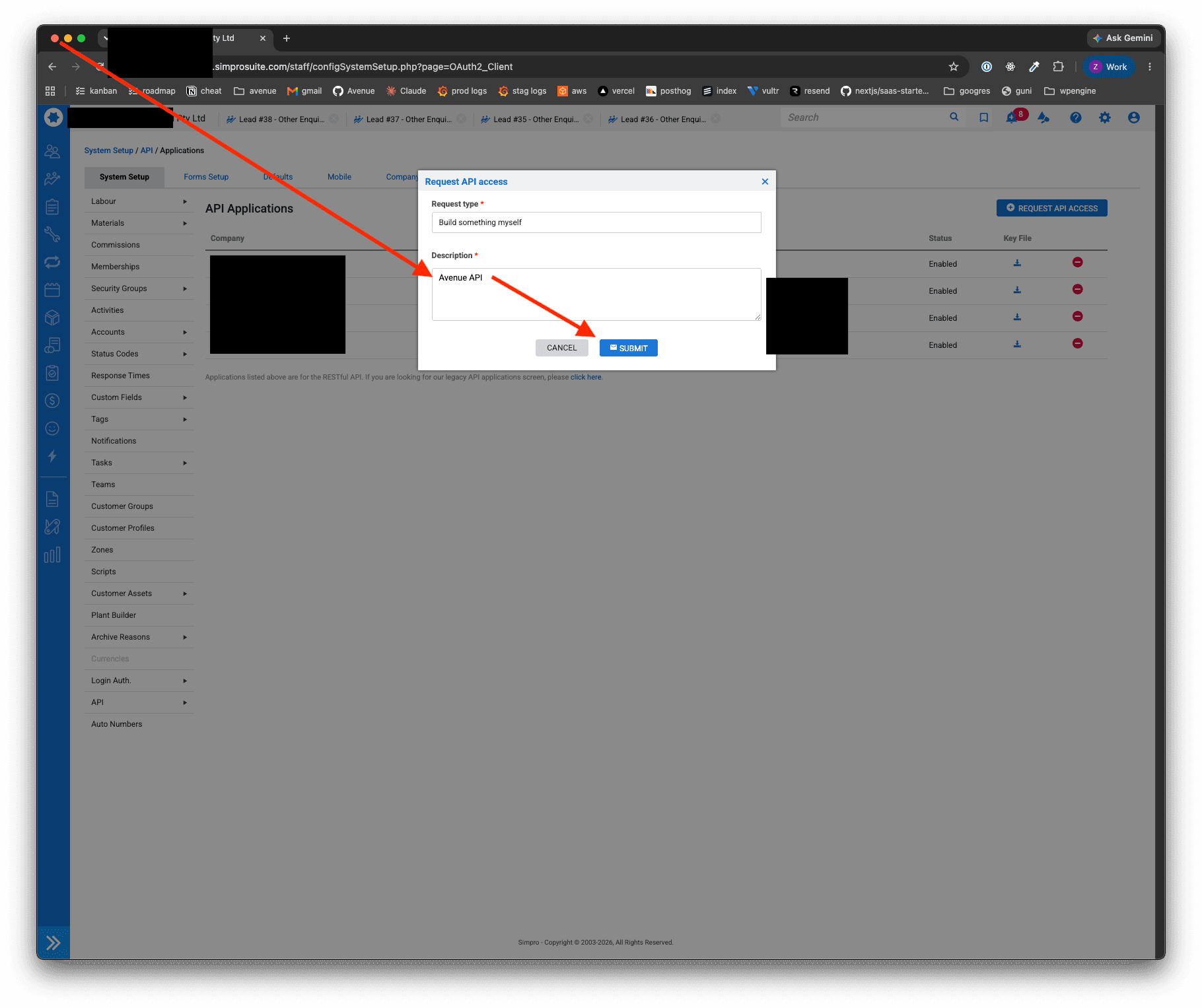
Select Build something myself from the dropdown for Request type.
Step 5
Set the Description as Avenue API and hit Submit.
What happens next
SimPro will reach out to you when the API key is created — forward this to us and we will handle the rest.
Support
Contact Avenue support at info@avenue2.au if you need help connecting SimPro.